Beyond Text: How Okidoki Understands Photos, Voice Notes & PDFs on WhatsApp
On WhatsApp, people send photos, voice notes and documents — not tidy paragraphs. Okidoki understands all of it: it reads images, transcribes audio, extracts PDFs and DOCX, and even watches short videos, then answers and acts on it.
Okidoki Team
July 10, 2026·3 min read
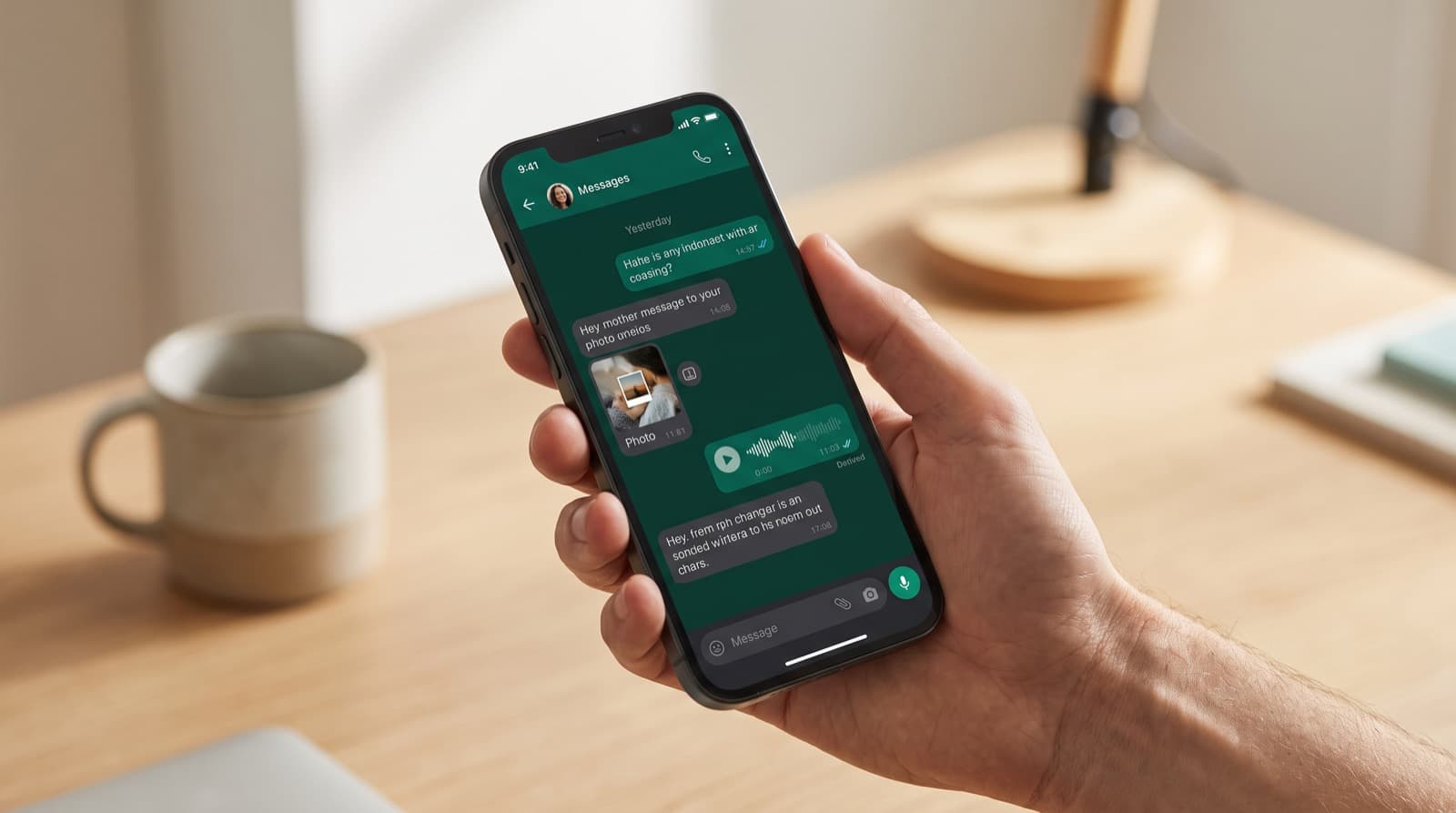
On WhatsApp, real customers don't send tidy paragraphs. They snap a photo of the problem, record a quick voice note, or forward a PDF and expect you to "just get it." Most chatbots choke on anything that isn't text. Okidoki understands the media people actually send — images, audio, documents, even short videos — and feeds all of it into the same AI agent that answers and books for you. That's what makes it one of the most versatile agents on the market.
Most bots read text. Okidoki understands media.
When a message arrives with an attachment, okidoki doesn't ignore it or reply "please describe your issue." It analyzes the attachment, turns it into something the AI can reason about, and continues the conversation as if the customer had explained everything perfectly.
What okidoki can understand
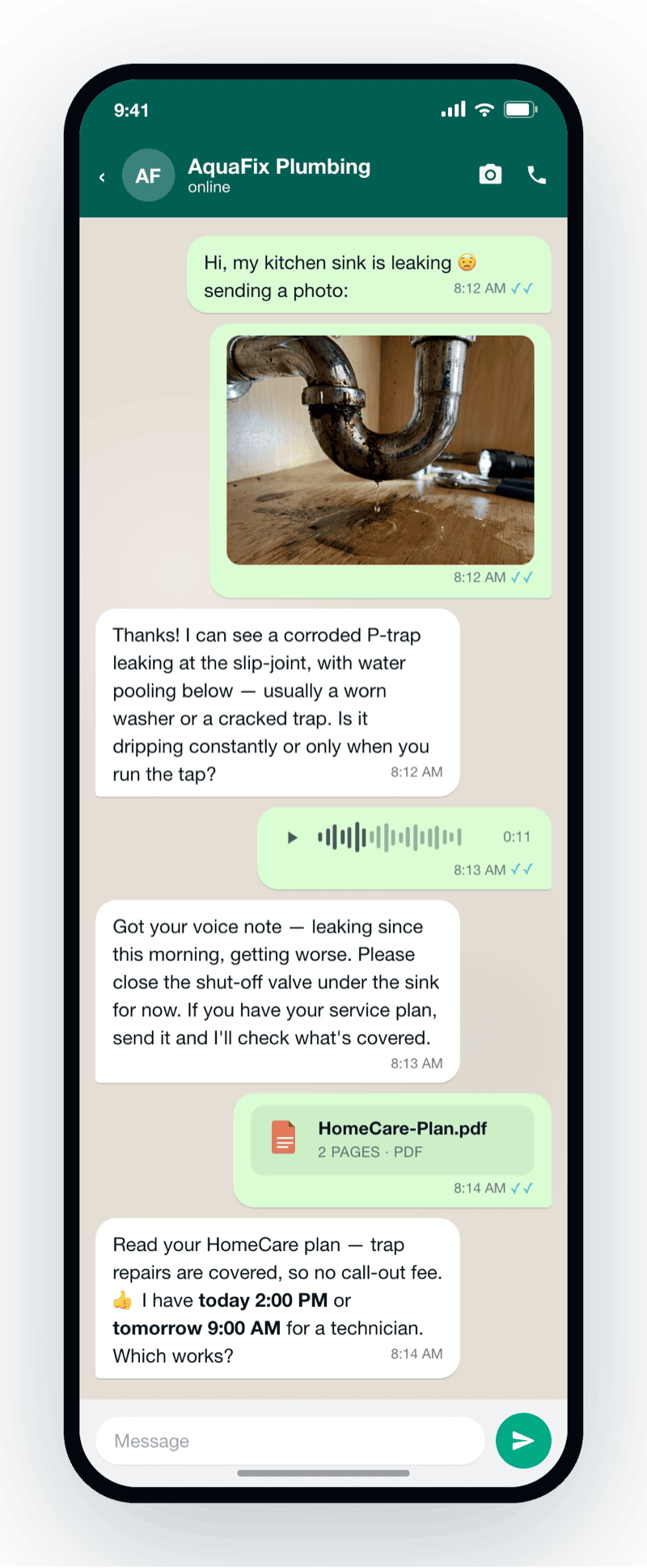
- Photos & screenshots — an image is analyzed with vision AI, so the agent can describe what it sees (a leaking pipe, a broken part, a receipt, a screenshot of an error) and respond to it.
- Voice notes — audio is transcribed automatically, so a rushed 15-second recording becomes text the agent understands and answers.
- PDFs & DOCX documents — files like warranties, quotes, contracts or forms are read and their content extracted, so the agent can pull out the details that matter.
- Short videos — a brief clip is analyzed too (rate-limited to keep things fast), so a customer can show the issue instead of describing it.
How it fits the conversation
The magic isn't just recognizing a file — it's using it. Once the media is understood, its content is injected into the same agent context, so okidoki can answer the real question, check your catalog, or book an appointment based on what the customer sent. A photo of a leak plus a PDF warranty becomes "your repair is covered — here are two visit times." No forms, no back-and-forth.
Customers send what they have. Okidoki meets them there — a photo, a voice note, a document — and turns it into an answer and a next step.
Beyond WhatsApp: the same brain on email
This isn't a WhatsApp-only trick. The same attachment pipeline also powers email on the Growth plan and above — a customer can email a document and get the same understanding and follow-up. One agent, one brain, across your channels.
Honest limits worth knowing
We'd rather be precise than overpromise:
- The AI replies in text on WhatsApp. It understands rich media coming in; when it shares products, photos or brochures back, it sends them as tap-to-open links rather than native media messages.
- The website widget supports text and live voice, but not visitor file uploads — send-us-a-file scenarios shine on WhatsApp and email.
- WhatsApp connects by scanning a QR code from your dashboard, and attachments have a size limit (around 20 MB), with video intentionally rate-limited so replies stay fast.
Why it matters
Every attachment a customer has to explain in words is friction — and a chance to drop off. By understanding photos, voice notes, PDFs and videos, okidoki removes that friction and keeps the conversation moving toward an answer, a reservation, or a booked visit.
Where to go next
See how to connect the channel in how to integrate WhatsApp with website chat, or explore the full agent capabilities on the okidoki developers page.
Frequently asked questions
Can okidoki understand photos and screenshots sent on WhatsApp?+
Yes. Images are analyzed with vision AI, so the agent can describe what it sees — a leaking pipe, a damaged part, a receipt, an error screenshot — and respond based on the actual photo, not a guess.
Does okidoki transcribe WhatsApp voice notes?+
Yes. Voice notes are automatically transcribed to text, so the agent understands and answers even a quick, rushed recording as if it had been typed out.
Can it read PDFs, Word documents and videos?+
Yes. PDFs and DOCX documents are read and their content extracted (great for warranties, quotes, contracts and forms), and short videos are analyzed too (rate-limited to keep replies fast). Attachments are limited to about 20 MB.
Does the AI reply with media, and does this work on the website widget?+
On WhatsApp the AI understands incoming media and replies in text, sharing products, photos or brochures as tap-to-open links. The website widget supports text and live voice but not visitor file uploads, so send-us-a-file flows work best on WhatsApp and email (email is available on Growth and above).